
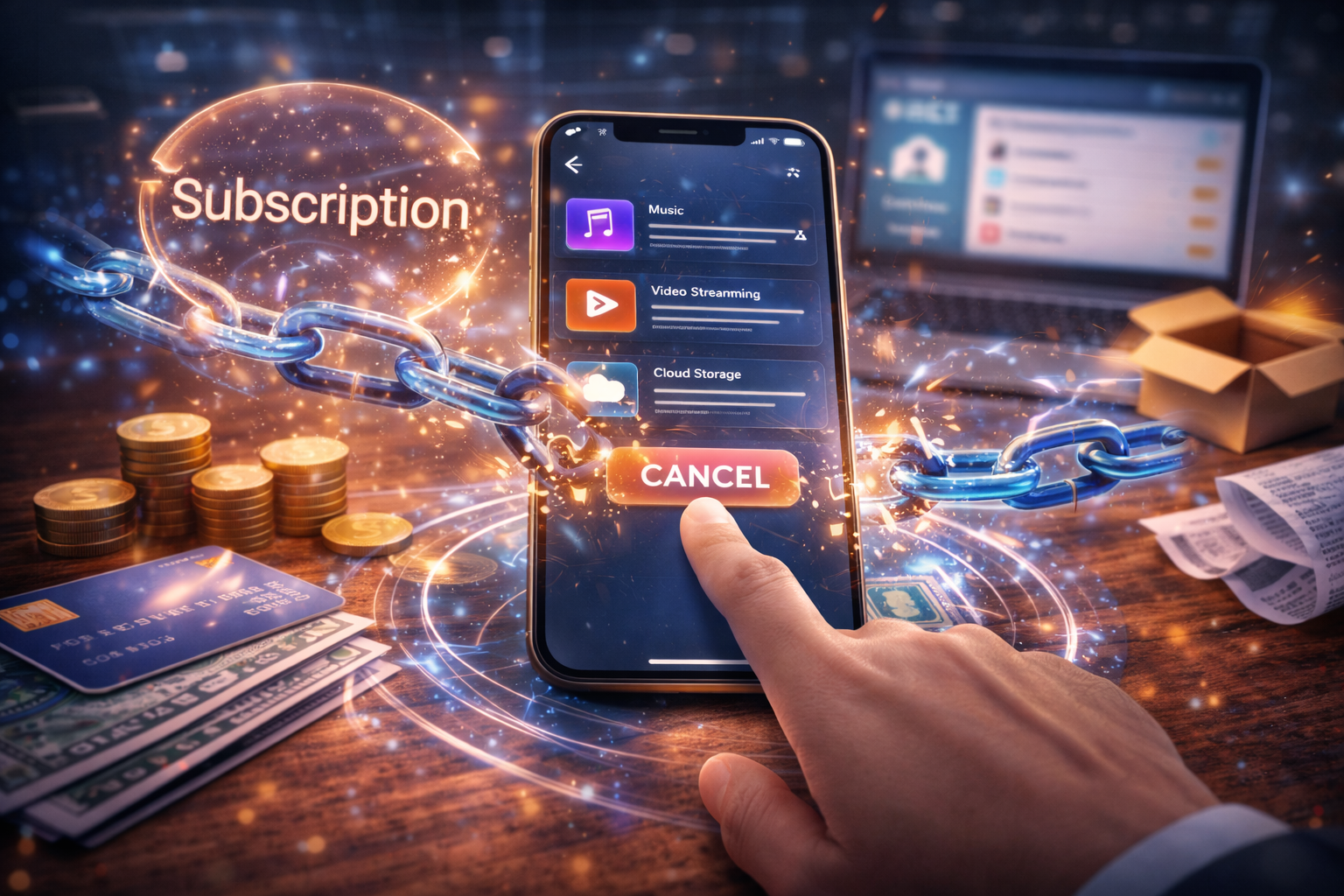
How subscription cancellation works explained: learn how billing systems terminate subscriptions, revoke access, handle refunds, and manage lifecycle transitions.
How Subscription Cancellation Works
How subscription cancellation works is a key part of the subscription billing lifecycle. Cancellation mechanisms allow users or platforms to terminate recurring billing relationships and stop future subscription renewals.
In digital services, subscription cancellation does not simply remove a user account. Instead, it triggers a sequence of system operations that update billing records, stop auto-renewal events, and determine how long the user may retain access to the service.
Understanding how subscription cancellation works requires examining billing lifecycle systems, subscription state management, entitlement revocation, and payment processing rules. These mechanisms are part of broader subscription pricing systems, explained in detail in how subscription pricing works.
Within the Pricing Models and Digital Billing pillar, cancellation represents the final stage of the subscription lifecycle and interacts closely with other billing mechanisms such as auto-renewal, proration, and refunds.
Clear System Definition
Subscription cancellation is the process through which a recurring billing agreement is terminated and future renewal charges are prevented.
The cancellation system typically performs several operations:
- stopping future billing events
- updating subscription status
- determining whether access continues until the end of the billing period
- modifying entitlement permissions
- recording the cancellation event
Unlike account deletion, cancellation primarily affects billing relationships rather than the existence of the user account.
Most subscription platforms allow users to retain their accounts even after canceling subscriptions.
In some cases, cancellation events may trigger billing reversals. These processes are explained in how refunds work for digital subscriptions .
Where Cancellation Systems Appear
Subscription cancellation mechanisms exist across many digital platforms.
Common examples include:
- SaaS productivity tools
- streaming subscriptions
- online learning platforms
- digital news subscriptions
- cloud infrastructure services
For example, a user may cancel a monthly streaming subscription through an account settings page. The platform stops future billing events but often allows access to continue until the end of the billing cycle.
This approach ensures that the user receives the full value of the subscription period they already paid for.
Types of Subscription Cancellation
Understanding how subscription cancellation works requires distinguishing between different cancellation models.
When users cancel subscriptions before the end of a billing period, platforms may adjust charges using proration. This process is explained in what is proration in billing .
Immediate Cancellation
In immediate cancellation systems, the subscription ends as soon as the cancellation request is processed.
Effects include:
- billing stops immediately
- user access is revoked immediately
- subscription status changes to canceled
Immediate cancellation is more common in usage-based services or prepaid systems where access must stop instantly.
End-of-Cycle Cancellation
Many subscription services use end-of-cycle cancellation.
In this model:
- the subscription remains active until the billing period ends
- no additional renewal charges occur
- access continues until expiration
This approach prevents disputes over unused subscription time.
Administrative Cancellation
Some cancellations occur automatically through administrative actions.
Examples include:
- violation of platform policies
- fraudulent activity detection
- payment failure after retry attempts
In these cases, the platform cancels the subscription without a user request.
How Subscription Cancellation Works (Step-by-Step)
Understanding how subscription cancellation works requires examining the sequence of events triggered when a cancellation request occurs.
Step 1: Cancellation Request Initiation
The process begins when a cancellation request is submitted.
This request may originate from:
- the user interface
- customer support systems
- automated billing workflows
The system records the cancellation request in the subscription database.
Key data fields include:
- subscription ID
- cancellation timestamp
- cancellation source
- cancellation reason (optional)
Step 2: Once the request is recorded, the billing system disables the auto-renewal flag
Once the request is recorded, the billing system disables the auto-renewal flag. This step prevents the next billing cycle from triggering a renewal charge, which is part of the mechanism explained in how auto-renewal works.
Many subscription platforms implement renewal and cancellation workflows using billing infrastructure similar to those described in Stripe’s subscription billing documentation.
https://stripe.com/docs/billing/subscriptions
Internal reference:
how auto-renewal works
Disabling auto-renewal ensures that no additional subscription charges will occur after the current billing period ends.
The subscription record is updated with:
auto_renewal = false
This change prevents future billing cycles from being scheduled.
Step 3: Subscription Status Update
Next, the system updates the subscription status.
Common subscription states include:
| Status | Meaning |
|---|---|
| Active | Subscription valid |
| Canceling | Cancellation requested but access continues |
| Canceled | Subscription terminated |
| Expired | Billing period ended |
Many systems use an intermediate canceling state that indicates the subscription will end at the next billing boundary.
Step 4: Entitlement Management
Subscription services often grant access through entitlement systems.
When cancellation occurs, the entitlement system must determine whether access should continue.
Possible outcomes include:
| Scenario | Access Result |
|---|---|
| End-of-cycle cancellation | Access remains until billing period ends |
| Immediate cancellation | Access revoked immediately |
| Refund cancellation | Access may terminate immediately |
The entitlement system therefore synchronizes access rights with the subscription status.
Step 5: Billing System Updates
After cancellation is processed, the billing system updates its records to reflect the change.
Important updates include:
- cancellation timestamp
- final billing date
- renewal schedule removal
These updates ensure that future invoices are not generated.
Interaction With Other Billing Systems
Cancellation mechanisms interact closely with several other billing systems.
Free Trials
Users often cancel subscriptions during free trial periods, especially to avoid the first billing event. The transition from trial access to paid subscription is explained in how free trials work.
Internal reference:
how free trials work
In these cases, cancellation prevents the first billing event from occurring.
Proration
If a subscription is canceled shortly after an upgrade, billing systems may apply prorated adjustments. These calculations determine how much of the billing cycle was used and how much should be credited, which is explained in what is proration in billing.
Internal reference:
what is proration in billing
This ensures that users are not charged for unused service time.
Refund Systems
In some cases, cancellations trigger refund workflows. If a user cancels shortly after a renewal charge, the platform may issue a refund for that billing event, which is described in how refunds work for digital subscriptions.
Internal reference:
how refunds work for digital subscriptions
For example, if a user cancels shortly after a renewal charge, the platform may issue a refund for that billing event.
Access Revocation Systems
A critical aspect of how subscription cancellation works involves revoking access to premium features.
Access control systems monitor subscription status when determining whether users can access restricted content.
Example access rule:
IF subscription_status = active
    allow access
ELSE
    restrict access
When cancellation occurs and the subscription expires, the entitlement system automatically blocks access.
Cancellation Timing and Billing Boundaries
In some ecosystems, subscription cancellations must occur through the platform that processed the payment. For example, mobile applications that sell subscriptions through in-app purchases require cancellations to occur through the platform store, as explained in how in-app purchases work.
Example scenario:
| Billing Period | March 1 – March 31 |
|---|---|
| Cancellation Request | March 15 |
| Access Expiration | March 31 |
Even though the user cancels on March 15, access remains active until March 31.
This approach ensures billing fairness.
Cancellation and Platform Billing
In some ecosystems, subscription cancellations must occur through the platform that processed the payment.
For example:
Mobile applications that sell subscriptions through in-app purchases require cancellations to occur through the platform store.
Internal reference:
how in-app purchases work
This architecture ensures that platform billing rules remain consistent.
Challenges in Subscription Cancellation Systems
Cancellation systems introduce several operational challenges.
Billing Disputes
Users may dispute charges if they believe cancellations were processed incorrectly.
Accurate timestamp records help resolve these disputes.
Subscription Abuse
Some users may repeatedly subscribe and cancel services to exploit promotional offers.
Platforms may impose limits on repeated trial activations.
Complex Subscription Structures
Enterprise subscriptions may involve multiple users or features.
Cancellation logic must ensure that removing a subscription does not break other account dependencies.
Cancellation Metrics in Subscription Platforms
Many platforms monitor cancellation metrics to analyze subscription performance.
Common metrics include:
| Metric | Description |
|---|---|
| churn rate | percentage of canceled subscriptions |
| cancellation frequency | how often users cancel |
| retention rate | percentage of users who keep subscriptions |
These metrics help platforms evaluate subscription system behavior.
Subscription Cancellation State Machines
Understanding how subscription cancellation works also requires examining how subscription systems model cancellation using state machines.
A state machine is a system design pattern that defines how a subscription transitions between different operational states.
Subscription billing platforms typically represent subscription status as a controlled set of states stored in the billing database.
Common subscription states include:
| Subscription State | Description |
|---|---|
| Trialing | User is in a free trial period |
| Active | Subscription is paid and active |
| Canceling | Cancellation requested but access continues |
| Past Due | Payment failed and retry attempts are occurring |
| Canceled | Subscription terminated |
| Expired | Access period has ended |
When examining how subscription cancellation works, the most important transition is the movement from Active → Canceling → Canceled.
For example:
Active → Canceling → Expired
This sequence allows the system to maintain access until the end of the billing cycle while ensuring that no future renewal charges are scheduled.
The canceling state is particularly important. Instead of terminating the subscription immediately, the system flags the subscription for termination at the next billing boundary.
This state prevents billing errors because the system can still track the subscription until the paid period expires.
Scheduled Jobs and Cancellation Execution
Another important part of how subscription cancellation works involves scheduled background processes.
Subscription billing systems often rely on scheduled jobs to process lifecycle events.
These jobs run automatically at defined intervals to perform operations such as:
- subscription renewals
- trial expiration checks
- billing retries
- cancellation completion
When a subscription is marked as canceling, the system does not immediately remove access. Instead, the system schedules a background job to process the cancellation when the billing period ends.
For example:
| Event | Timestamp |
|---|---|
| Subscription started | March 1 |
| Cancellation requested | March 12 |
| Billing cycle end | March 31 |
| Cancellation execution | March 31 |
At the moment the billing cycle ends, the scheduled job performs several actions.
These actions typically include:
- updating subscription status to canceled
- revoking entitlements
- removing future billing schedules
- recording lifecycle logs
Scheduled job systems must be reliable because failures in these processes could result in billing errors.
For example, if the cancellation job fails to execute, the system might accidentally attempt another renewal charge.
To prevent this problem, many billing platforms implement redundancy in lifecycle processing systems.
Access Revocation Timing
Another important aspect of how subscription cancellation works is determining exactly when access to premium features should be revoked.
Different platforms enforce different access revocation policies.
These policies typically fall into three categories.
Immediate Access Revocation
Some platforms revoke access immediately after cancellation.
Example scenario:
| Event | Result |
|---|---|
| User cancels subscription | Access removed instantly |
| Billing | No further charges |
Immediate revocation is often used in systems where usage directly consumes infrastructure resources.
For example:
- cloud infrastructure
- metered API systems
- compute services
These systems cannot allow continued access without billing because resource consumption has direct operational costs.
End-of-Cycle Access
Most consumer subscription services allow access until the end of the billing period.
Example:
| Event | Result |
|---|---|
| User cancels mid-cycle | Access remains active |
| Billing period ends | Access revoked |
This model is common for:
- streaming services
- SaaS software
- online courses
- digital publications
Allowing access until the billing boundary prevents disputes about unused service time.
Grace Period Access
Some systems introduce a grace period between cancellation and full access revocation.
Example structure:
| State | Access |
|---|---|
| Active | Full access |
| Canceling | Full access |
| Grace period | Limited access |
| Expired | No access |
Grace periods may allow users to:
- export data
- download purchased content
- reactivate subscriptions
These policies improve user experience while maintaining billing integrity.
Data Logging and Cancellation Audits
Another key component of how subscription cancellation works involves transaction logging and auditing systems.
Subscription platforms must record cancellation events for several reasons.
These include:
- resolving billing disputes
- meeting financial compliance requirements
- maintaining accurate subscription metrics
When a cancellation occurs, the billing system typically records several pieces of data.
Example cancellation log:
| Field | Description |
|---|---|
| Subscription ID | Unique subscription record |
| User ID | Account owner |
| Cancellation timestamp | Exact time of cancellation |
| Cancellation source | User interface or support agent |
| Billing cycle end date | Final access date |
These records allow platforms to reconstruct the lifecycle of a subscription if disputes occur.
For example, if a user claims they canceled before renewal, the system logs can confirm the exact timestamp.
Accurate audit logs are therefore essential to maintaining trust in subscription billing systems.
Subscription Reactivation Systems
Another important part of how subscription cancellation works involves the ability to reactivate canceled subscriptions.
Many platforms allow users to reactivate subscriptions before the billing cycle ends.
Example scenario:
| Event | Result |
|---|---|
| User cancels subscription | Auto-renewal disabled |
| User changes mind before expiration | Subscription reactivated |
Reactivation typically involves restoring the auto-renewal flag in the billing system.
Example update:
auto_renewal = true
subscription_status = active
This prevents the scheduled cancellation job from executing.
Reactivation systems reduce friction for users who cancel accidentally or change their minds.
Edge Cases in Cancellation Systems
Complex subscription platforms must also handle unusual edge cases.
These scenarios can complicate how subscription cancellation works.
Cancellation During Payment Retry
If a payment fails and the billing system is retrying the charge, a cancellation request may occur during the retry window.
Possible outcomes include:
| Scenario | Result |
|---|---|
| User cancels during retry | Retry stops |
| Retry succeeds before cancellation | Subscription remains active |
Billing logic must ensure these conditions are handled consistently.
Cancellation After Renewal Charge
Another common edge case occurs when a user cancels immediately after renewal.
Example:
| Event | Timestamp |
|---|---|
| Renewal charge | April 1 |
| Cancellation request | April 2 |
In this case, the system must determine whether to:
- allow access until the next cycle
- issue a refund
- convert the subscription into end-of-cycle cancellation
Many platforms handle this scenario through refund policies.
Cancellation of Multi-Seat Subscriptions
Enterprise subscriptions may involve multiple users within a single subscription.
Example structure:
| Organization | Seats | Active Users |
|---|---|---|
| Company A | 10 | 8 |
Canceling the subscription must ensure that:
- access is removed from all associated users
- billing records reflect the cancellation
- account data remains accessible if needed
This complexity requires additional entitlement synchronization.
Relationship Between Cancellation and Subscription Churn
Understanding how subscription cancellation works also helps explain subscription churn, which measures how many users terminate subscriptions over time.
Churn is calculated as:
Churn Rate = Cancelled Subscriptions ÷ Total Subscriptions
Example:
| Month | Subscribers | Cancelled | Churn Rate |
|---|---|---|---|
| January | 10,000 | 500 | 5% |
| February | 10,200 | 510 | 5% |
Churn metrics help platforms understand the health of subscription systems.
However, the cancellation mechanisms themselves remain purely operational components of billing infrastructure.
Cancellation System Design Constraints
Several design constraints affect how subscription cancellation works.
These constraints include:
Billing Integrity
Cancellation systems must guarantee that no additional billing occurs after cancellation.
Timestamp Accuracy
Billing disputes often arise from incorrect timestamps.
Distributed System Synchronization
Large platforms may have multiple services that depend on subscription status.
Cancellation updates must propagate across all systems.
Payment System Integration
Billing systems must coordinate with payment processors to ensure that cancellation events stop future charges.
FAQ: How Subscription Cancellation Works
Does canceling a subscription immediately remove access?
Not always. Many platforms allow access until the billing cycle ends.
Can subscriptions be reactivated after cancellation?
Yes. Some platforms allow subscriptions to be reactivated before expiration.
Can cancellation trigger refunds?
Sometimes. Refunds may occur depending on platform policies and billing timing.
Why do platforms require cancellation before renewal dates?
This prevents automatic renewal charges for the next billing cycle.
Conclusion
Understanding how subscription cancellation works is essential for analyzing digital subscription billing systems. Cancellation mechanisms ensure that users can terminate recurring billing relationships while maintaining consistent billing records and entitlement management.
By coordinating subscription state updates, billing system modifications, and access control enforcement, cancellation systems allow digital platforms to manage the final stage of the subscription lifecycle reliably.