
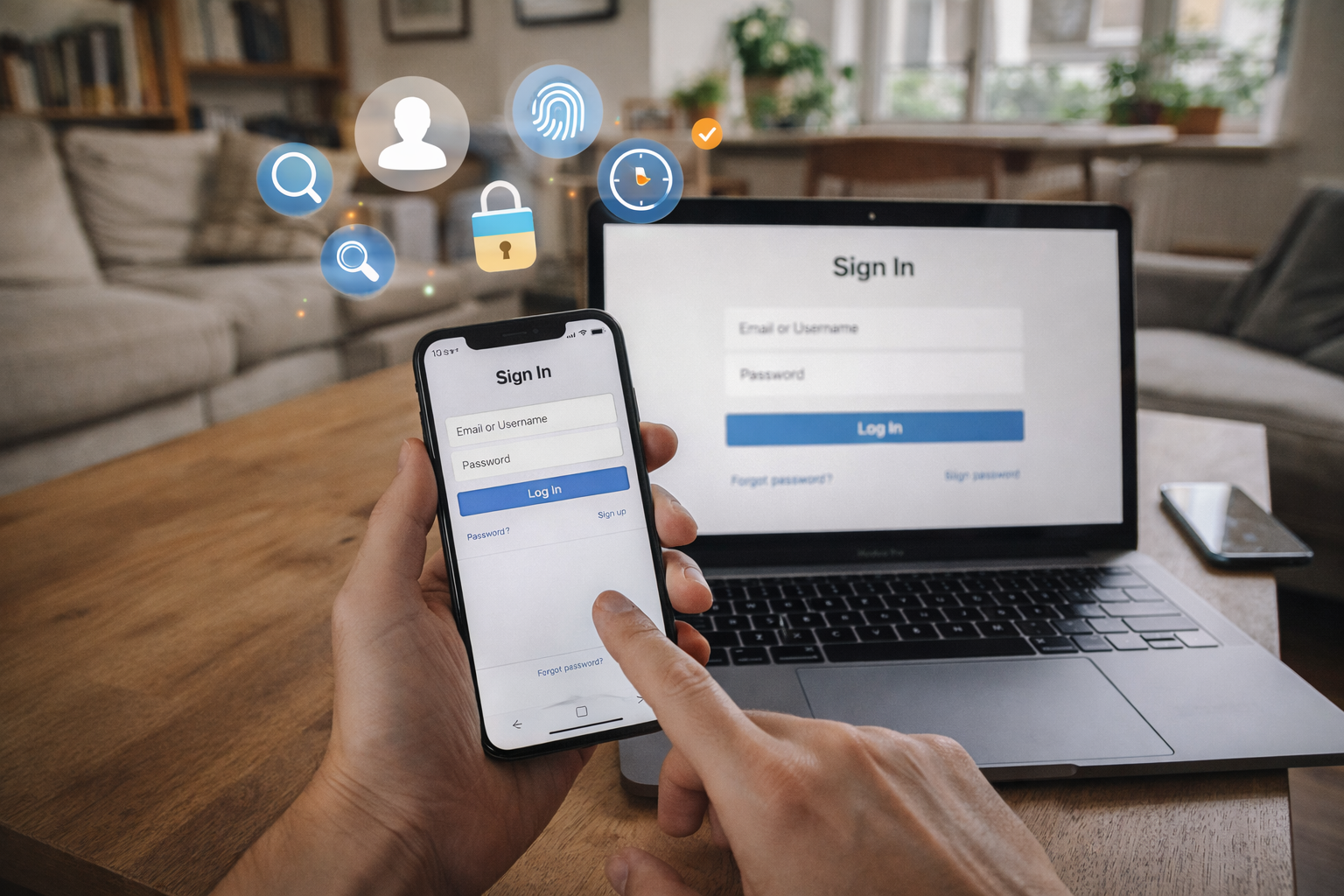
A complete system-level explanation of how online logins work, including identity, authentication, sessions, cookies, tokens, tracking, security trade-offs, and modern login flows.
What Really Happens When You Log In
Logging in looks simple.
You type an email and password, press a button, and suddenly you’re “in.”
Behind that button press, however, is one of the most important systems in modern computing: online identity and authentication.
In this topic
-
Identity & Tracking
- How Modern Digital Systems Work: Infrastructure, Identity, Algorithms, and Digital Payments
- How Authentication Tokens Work
- What Is a Session Cookie
- How Web Tracking Works: The Ultimate Technical Guide to Cookies, Pixels, Fingerprinting, and Modern Tracking Systems
- What Is Multi-Factor Authentication? A Guide to MFA, Security Layers, and Modern Login Systems
- How Password Resets Work: The Complete Technical Guide to Secure Account Recovery Systems
- What Is OAuth? The Ultimate Guide to Secure Authorization (Simple + Powerful Explanation)
- What Is Single Sign-On? The Complete Guide to SSO, Tokens, Sessions, and Real-World Architecture
Additional explanations about authentication and identity systems will be added over time.
Every login system must reliably answer four questions:
- Who is this user claiming to be?
- How can we verify that claim?
- How do we remember the user after verification?
- How do we do all of this securely, at scale, across devices and time?
Understanding how online logins work is essential because these systems now underpin:
- Personal accounts
- Payments and subscriptions
- Personalization and recommendations
- Security and fraud prevention
- Tracking and analytics
- Digital identity itself
This article explains login systems as systems, not just UI flows.
Why Online Logins Exist at All
Before logins, websites were largely anonymous.
Anyone could visit, read, and leave — but the system had no memory of who you were.
Logins exist to solve three core problems:
1. Identity Continuity
Without logins:
- Every visit looks like a new user
- Preferences disappear
- Personalization is impossible
Logins allow systems to recognize the same user over time.
2. Access Control
Many resources must be protected:
- Private data
- Paid features
- Sensitive actions
Logins enable systems to:
- Restrict access
- Enforce permissions
- Prevent unauthorized use
3. Accountability and Security
Logins create:
- Audit trails
- Ownership
- Responsibility
Without identity, systems cannot enforce rules reliably.
Identity vs Authentication vs Authorization (Critical Distinction)
One of the most common misunderstandings in this domain is conflating identity, authentication, and authorization.
They are related — but not the same.
Identity: “Who Are You?”
Identity is a claim.
Examples:
- “I am user@example.com”
- “I am account #48291”
- “I am the owner of this device”
Identity alone proves nothing. It is just a label.
Authentication: “How Do You Prove It?”
Authentication is the verification process.
It answers:
“Can you demonstrate that you control this identity?”
Common authentication factors include:
- Something you know (password)
- Something you have (phone, key)
- Something you are (biometrics)
Authentication turns a claim into trust.
Authorization: “What Are You Allowed to Do?”
Authorization happens after authentication.
It determines:
- Which features you can access
- What actions you can perform
- Which data you can see
You can be authenticated but not authorized for everything.
Credentials: Passwords, Secrets, and Proof
At the heart of most login systems is a credential — a piece of information used to prove identity.
Passwords: The Most Common Credential
Passwords are:
- Shared secrets
- Known to the user
- Stored (indirectly) by the system
Despite their flaws, passwords persist because they are:
- Cheap
- Universal
- Familiar
But passwords introduce serious risks, which shape the rest of the login system.
Why Systems Never Store Plain Passwords
A secure system never stores passwords directly.
Instead, it stores:
- A cryptographic representation (hash)
- Often combined with a salt
- Designed to be slow to compute
This means:
- The system can verify a password
- Without being able to recover it
Password storage is about damage limitation, not perfection.
Secrets Beyond Passwords
Modern systems also use:
- One-time codes
- Cryptographic keys
- Device-bound secrets
These reduce reliance on memorized credentials.
How a Login Request Actually Works
When you press “Log In,” several steps occur in sequence.
At a high level:
- You submit credentials
- The system verifies them
- The system establishes login state
- The system remembers that state for future requests
The critical shift happens after authentication.
The system must now remember that you are logged in.
Sessions Explained: Remembering That You’re Logged In
Authentication answers who you are.
Sessions answer:
“How do we remember you between requests?”
Without sessions, you would need to re-authenticate on every page.
Why Sessions Exist
The web is stateless by default.
Each request:
- Is independent
- Has no built-in memory
- Knows nothing about previous requests
Sessions add state on top of a stateless protocol.
Session IDs: The Core Mechanism
Most login systems work like this:
- After successful authentication, the server creates a session
- The session has a unique identifier
- That identifier is sent to the browser
- The browser sends it back on every request
If the identifier matches a valid session, the user is considered logged in.
Cookies: How Session IDs Are Stored
Cookies are the most common way to store session identifiers.
A cookie is:
- A small piece of data
- Stored by the browser
- Sent automatically with requests
Session cookies allow the server to:
- Associate requests with a session
- Maintain login state
- Enforce access control
Why Cookies Are Powerful (and Dangerous)
Whoever controls the session cookie:
- Controls the session
- Appears as the logged-in user
This is why cookie security is critical.
Session Expiration
Sessions are not permanent.
They expire because:
- Devices get lost
- Cookies get stolen
- Risk increases over time
Expiration balances:
- Convenience
- Security
- User expectations
Login Persistence and “Remember Me”
“Remember me” features extend session duration.
This introduces trade-offs:
- Longer sessions improve convenience
- Longer sessions increase attack surface
Persistent login often relies on:
- Long-lived cookies
- Device recognition
- Secondary tokens
This is where login systems begin to overlap with tracking systems.
Tokens Explained (Conceptual Overview)
As systems scale and decentralize, many move from session-based logins to token-based authentication.
A token is:
- A portable proof of authentication
- Often cryptographically signed
- Verifiable without server-side session state
Tokens are essential for:
- APIs
- Mobile apps
- Distributed systems
We’ll go deeper into tokens shortly.
Tokens Explained: Portable Proof of Authentication
As systems grow beyond a single server, sessions alone stop scaling. This is where tokens become essential.
A token is a compact piece of data that represents:
- An authenticated identity
- A set of permissions
- A limited time window of validity
Unlike sessions, tokens can be verified without looking anything up.
Why Systems Use Tokens
Tokens solve several scaling problems:
- Stateless verification (no shared session store)
- Cross-service authentication
- Mobile and API access
- Reduced server memory overhead
This makes tokens ideal for:
- Mobile apps
- Microservices
- Third-party integrations
Access Tokens
An access token proves:
- You are authenticated
- You are allowed to perform certain actions
- Right now
Key properties:
- Short-lived
- Narrow scope
- High risk if leaked
Access tokens are designed to expire quickly to limit damage.
Refresh Tokens
A refresh token exists to solve one problem:
“How do we avoid making users log in constantly?”
Refresh tokens:
- Are long-lived
- Are stored more carefully
- Can mint new access tokens
This creates a two-token system:
- Access token → frequent use, short life
- Refresh token → rare use, longer life
Sessions vs Tokens: The Trade-Off
Neither approach is “better.” Each optimizes for different constraints.
| Aspect | Sessions | Tokens |
|---|---|---|
| State | Server-side | Client-side |
| Scalability | Moderate | High |
| Revocation | Easy | Harder |
| Use cases | Web apps | APIs, mobile |
| Complexity | Lower | Higher |
Many modern systems use both.
Devices, Browsers, and Login State
Logging in is not just about who you are — it’s also about where you are logged in from.
Why Devices Matter
Devices introduce:
- Security context
- Risk assessment
- Convenience decisions
Questions systems ask:
- Is this a known device?
- Has this device logged in before?
- Does this behavior look normal?
Device Recognition
Device recognition may use:
- Cookies
- Local storage
- Secure device identifiers
- Behavioral patterns
Recognized devices:
- Reduce MFA prompts
- Enable persistent login
- Increase trust scores
Why “New Device” Alerts Exist
New device detection helps prevent:
- Credential stuffing
- Account takeovers
- Unauthorized access
It’s a risk-based authentication layer, not just a notification.
Fingerprinting: When Identity Blurs Into Tracking
Fingerprinting attempts to identify devices without explicit login.
It may combine:
- Browser properties
- Screen resolution
- Installed fonts
- Timing patterns
- Hardware signals
Fingerprinting exists on a spectrum:
- Security-oriented (fraud prevention)
- Analytics-oriented (tracking)
- Advertising-oriented (profiling)
This is where login systems intersect with privacy concerns.
Tracking vs Identity (Critical Distinction)
A crucial concept:
You can be tracked without being logged in.
You can be logged in without being tracked extensively.
They are related — but distinct.
Identity Systems
Identity systems aim to:
- Recognize a specific user
- Control access
- Secure data
- Enable personalization
Identity is intentional and explicit.
Tracking Systems
Tracking systems aim to:
- Observe behavior
- Link actions over time
- Infer patterns
- Attribute activity
Tracking may be:
- Anonymous
- Pseudonymous
- Probabilistic
Where They Overlap
They overlap when:
- Login IDs are used for analytics
- Device identifiers persist across sessions
- Identity enables deeper tracking
Good system design separates concerns to limit harm.
Single Sign-On (SSO): One Login, Many Systems
Single Sign-On allows users to authenticate once and access multiple services.
SSO exists because:
- Users hate managing many passwords
- Systems want shared identity
- Security improves with centralization
How SSO Works (Conceptually)
At a high level:
- You authenticate with an identity provider
- That provider vouches for you
- Other systems trust that assertion
Trust relationships replace repeated authentication.
Why SSO Improves Security
Centralized identity:
- Enables stronger authentication
- Simplifies monitoring
- Reduces password reuse
But it also increases blast radius if compromised.
Multi-Factor Authentication (MFA)
MFA requires more than one proof of identity.
Common factors:
- Something you know (password)
- Something you have (phone, key)
- Something you are (biometric)
Why MFA Exists
Passwords alone fail because:
- Users reuse them
- They are phished
- They are guessed or leaked
MFA raises the cost of attack dramatically.
Risk-Based MFA
Not every login requires MFA.
Systems may trigger MFA when:
- Device is unfamiliar
- Location changes
- Behavior looks suspicious
- Sensitive actions are attempted
This balances security and usability.
Passwordless Login Systems
Passwordless systems aim to remove shared secrets entirely.
They rely on:
- Magic links
- One-time codes
- Cryptographic keys
- Device-bound credentials
Why Passwordless Is Appealing
Benefits include:
- Fewer phishing attacks
- No password reuse
- Lower cognitive load
But passwordless systems introduce new risks:
- Email account takeover
- Device loss
- Recovery complexity
Passwordless shifts risk — it doesn’t eliminate it.
Security Threats Login Systems Must Defend Against
Common attack models include:
- Phishing
- Credential stuffing
- Session hijacking
- Man-in-the-middle attacks
- Account takeover
Every login design is a response to these threats.
Trade-Offs Between Security and Usability
Every improvement in security introduces friction.
Design decisions involve:
- Session length vs convenience
- MFA frequency vs abandonment
- Device trust vs recovery pain
There is no perfect balance — only context-appropriate trade-offs.
Privacy Implications of Login Systems
Login systems shape:
- What data is collected
- How long it persists
- Who controls identity
Key privacy questions include:
- Can users log out fully?
- Can identity be separated from tracking?
- Can users control devices and sessions?
Privacy is not a feature — it is an architectural choice.
Common Login Failures (And Why They Happen)
Most login failures are not caused by attackers.
They are caused by mismatches between system assumptions and human behavior.
Understanding failure modes is essential to designing resilient identity systems.
Failure Mode 1: Forgotten Credentials
This is the most common failure.
Why it happens:
- Password reuse across services
- Long intervals between logins
- Complex password requirements
- Cognitive overload
System consequence:
- Increased support load
- Account abandonment
- Security shortcuts by users
This is why recovery flows matter as much as authentication itself.
Failure Mode 2: Account Lockouts
Lockouts are designed to stop attacks—but they often stop users instead.
Common causes:
- Typing errors
- Password managers autofilling incorrectly
- Travel or VPN usage triggering security rules
Poorly designed lockouts:
- Punish legitimate users
- Encourage insecure workarounds
- Increase churn
Good systems slow attackers without freezing users.
Failure Mode 3: Session Confusion
Users often experience:
- Being logged out unexpectedly
- Being logged in on one tab but not another
- Sessions expiring during critical actions
This usually happens because:
- Multiple session lifetimes exist
- Tokens expire independently
- Background refresh fails silently
Session confusion erodes trust faster than almost any other failure.
Failure Mode 4: Device Loss
When a trusted device is lost or stolen:
- Persistent sessions become liabilities
- Recovery flows become critical
- Revocation must be immediate
Systems that cannot invalidate sessions remotely create security risk.
Failure Mode 5: Identity Drift
Identity drift occurs when:
- Emails change
- Accounts are merged
- Social logins are disconnected
- Multiple identities collide
Poor identity modeling makes recovery painful or impossible.
Account Recovery: The Forgotten Half of Authentication
Authentication proves identity once.
Recovery proves identity when everything goes wrong.
Many systems fail here.
Password Reset Flows
Password resets rely on:
- Email control
- Time-limited tokens
- One-time links
Design goals:
- Easy for legitimate users
- Hard for attackers
- Resistant to phishing
Weak reset flows undermine even strong authentication.
Why Email Becomes the Root of Trust
In many systems:
If you control the email, you control the account.
This makes email security:
- A critical dependency
- A common attack target
- A systemic risk
Passwordless systems amplify this dependency.
Account Recovery vs Account Takeover
The line between recovery and takeover is thin.
Design questions include:
- How much proof is enough?
- What evidence is acceptable?
- How do you avoid social engineering?
Recovery systems must assume partial compromise.
Logout Semantics: What “Logging Out” Really Means
Logging out is deceptively complex.
Users assume:
“Log out means I am no longer logged in anywhere.”
Systems often implement:
“Remove this browser’s session cookie.”
These are not the same.
Local Logout
Local logout:
- Deletes session cookies
- Ends the session in this browser
- Leaves other devices untouched
This is fast—but incomplete.
Global Logout
Global logout:
- Invalidates all active sessions
- Revokes tokens
- Forces re-authentication everywhere
This is safer—but more expensive.
Why Global Logout Is Hard
Challenges include:
- Distributed systems
- Stateless tokens
- Offline devices
- Caching layers
Many systems trade completeness for speed.
Session Revocation and Token Invalidation
Revocation answers:
“How do we stop trusting something that was previously valid?”
Sessions are easy to revoke because:
- They live server-side
- The server can delete them
Tokens are harder because:
- They are self-validating
- They live on the client
- They may be cached or offline
Common mitigation strategies:
- Short token lifetimes
- Refresh token rotation
- Revocation lists
- Device-bound tokens
Revocation complexity is a major reason sessions still exist.
Identity Portability: Who Owns Your Login?
Identity portability asks:
“Can users move their identity between systems?”
Examples include:
- Social login
- Enterprise identity providers
- Federated identity systems
Benefits of Portable Identity
- Fewer passwords
- Faster onboarding
- Reduced credential reuse
- Centralized security
Risks of Portable Identity
- Single point of failure
- Provider lock-in
- Account coupling
- Cascading outages
Portable identity trades independence for convenience.
Identity vs Account vs Persona
A subtle but important distinction:
- Identity: Who you are
- Account: A record in a system
- Persona: How you present yourself
Many systems collapse these into one, which creates friction when:
- Users want multiple personas
- Accounts need to merge
- Privacy boundaries shift
Future systems increasingly separate these layers.
Privacy and Consent in Login Systems
Login systems determine:
- What data is collected
- When it’s collected
- How long it persists
- Who can access it
Privacy-sensitive design includes:
- Clear consent boundaries
- Session transparency
- Device management tools
- Explicit tracking separation
Privacy failures often originate in identity systems.
Regulatory Pressure and Identity Design
Modern identity systems must account for:
- Data minimization
- Right to access
- Right to deletion
- Explicit consent
These requirements affect:
- Session storage
- Identity linking
- Audit logs
- Recovery flows
Compliance is no longer optional.
The Future of Online Identity
Several trends are reshaping login systems:
Trend 1: Passwordless by Default
Passwords are slowly being replaced by:
- Device-bound credentials
- Biometrics
- Cryptographic proofs
But recovery remains the hardest problem.
Trend 2: Risk-Adaptive Authentication
Authentication increasingly adapts to:
- Context
- Behavior
- Device trust
- Historical patterns
Static rules are giving way to probabilistic trust.
Trend 3: Decentralized Identity
Emerging models aim to:
- Let users control identity
- Reduce platform lock-in
- Minimize data sharing
Adoption remains slow due to complexity.
Trend 4: Identity as Infrastructure
Identity is becoming:
- A shared layer
- A regulated surface
- A competitive differentiator
Systems that get identity right gain long-term trust.
Mental Models for Understanding Login Systems
To reason clearly about login systems, keep these models in mind:
- Authentication proves once; sessions remember
- Recovery is as important as login
- Security is a probability, not a guarantee
- Tracking and identity are related but separable
- Every convenience has a security cost
These models replace confusion with clarity.
Frequently Asked Questions
Why do sites log me out randomly?
Because session expiration, token refresh, or risk rules triggered.
Why does logging out not log me out everywhere?
Because global revocation is harder than local logout.
Are password managers safe?
They are safer than human memory, but not risk-free.
Is passwordless more secure?
Often yes—but recovery becomes critical.
Can I truly be anonymous online?
Not when logged in; identity always leaves traces.
Final System-Level Synthesis
Online logins are not just gates.
They are long-lived identity systems that:
- Establish trust
- Manage risk
- Balance convenience and security
- Shape privacy and tracking
Every design choice creates trade-offs:
- Short sessions vs usability
- Persistent login vs exposure
- Central identity vs independence
There is no perfect login system — only context-appropriate ones.
Conclusion: How Online Logins Really Work
Online logins work by combining:
- Identity claims
- Authentication proofs
- Session or token memory
- Risk assessment
- Recovery mechanisms
When done well, they feel invisible.
When done poorly, they become the most painful part of the user experience.
Understanding how online logins work empowers:
- Builders to design better systems
- Users to recognize trade-offs
- Organizations to earn trust at scale
Identity is not just technical infrastructure.
It is the foundation of the modern digital relationship.
External references
- RFC 7235 — HTTP Authentication — Defines the framework for HTTP authentication challenges and responses.
- OWASP — Authentication Risks Overview — High-level discussion of common authentication and session management risks.